

Add OAuth2 credentials
OAuth2-inloggningsuppgifter används när en extern applikation ska kunna använda Sitevision som OAuth2-provider. Här anger du vilka behörigheter klienten kan begära, vilka redirect URI:er som är tillåtna och hur klienten ska autentisera sig.
En klient kan vara antingen public eller confidential:
- En public client har ingen klienthemlighet.
- En confidential client har en klienthemlighet.
Det påverkar hur klienten använder OAuth2-flödet och om PKCE krävs.
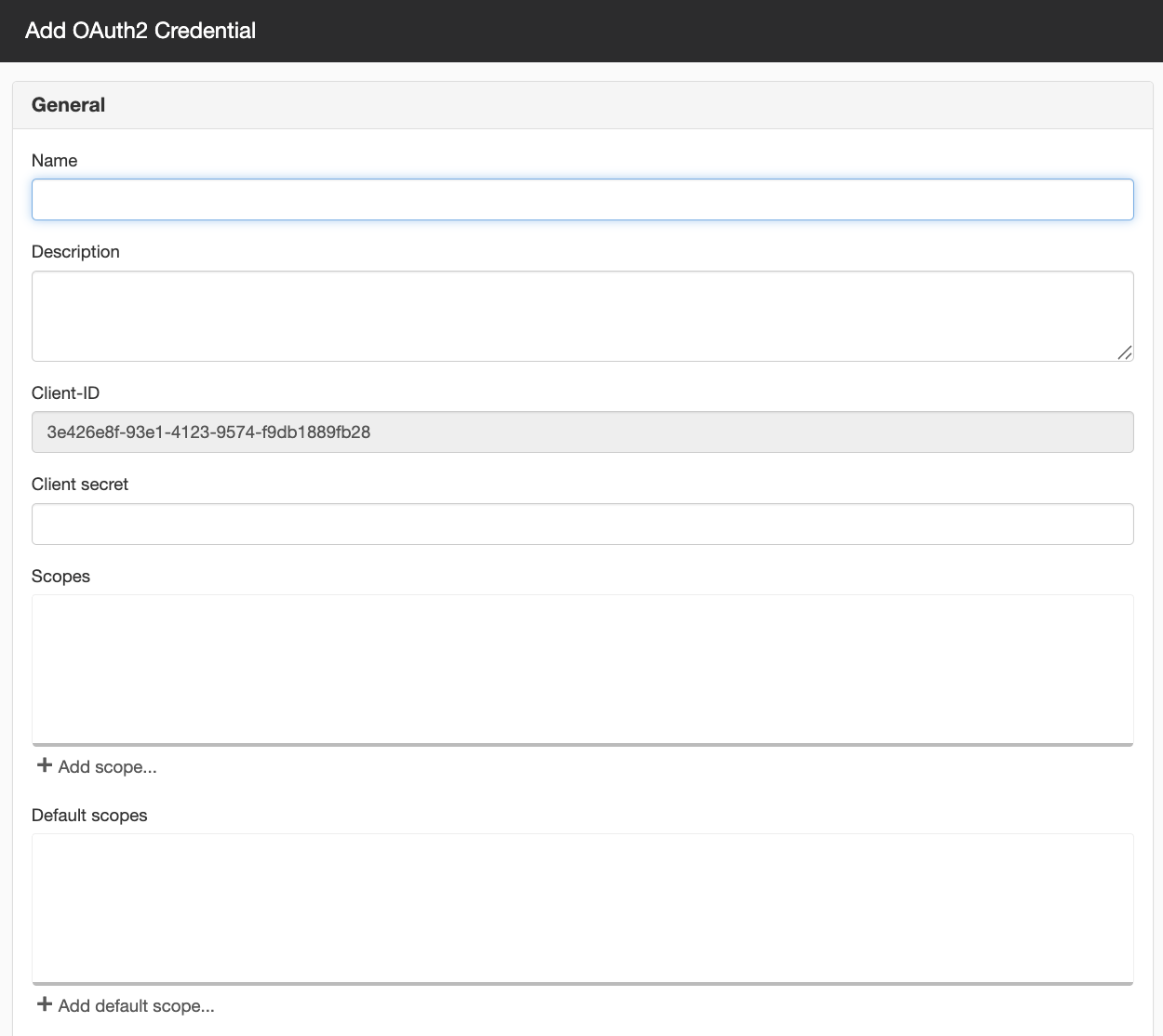
General
OAuth2 login credentials are used when an external application needs to use Sitevision as an OAuth2 provider. Here, you specify which permissions the client can request and which redirect URIs are allowed.
Name
Here, you enter a name for the login credentials.
The name is used to identify the client in Sitevision. We recommend choosing a name that clearly indicates which application or integration will use the credentials.
Description
Here, you enter a description for each OAuth 2.0 login.
The description can, for example, include information about what the login credentials will be used for, which application or integration uses them, and who is responsible for them.
Client ID
Here you will receive a unique ID for the client.
This ID is used by the connecting application when it authenticates with Sitevision as an OAuth2 provider.
The Client ID is generated by Sitevision and cannot be changed.
Client secret
Here you can specify a client secret.
- If the field is left blank, the client becomes a public client.
- If a client secret is specified, the client becomes a confidential client.
A confidential client can use the client secret in the token step. A public client, on the other hand, uses PKCE as protection in the authorization code flow.
Scopes
Scopes specify which permissions the client can request.
Add the scopes that the client should be able to use. The scopes required depend on what the connecting application is intended to do.
Click the "Add scope" link to add a scope.
Avoid scopes that require admin permissions on the resource server. If such scopes are included, only administrators will be able to log in
Default scopes
Default scopes are used when the client does not send any scopes in the login flow.
If the client does not send any scopes, Sitevision can use these default scopes instead.
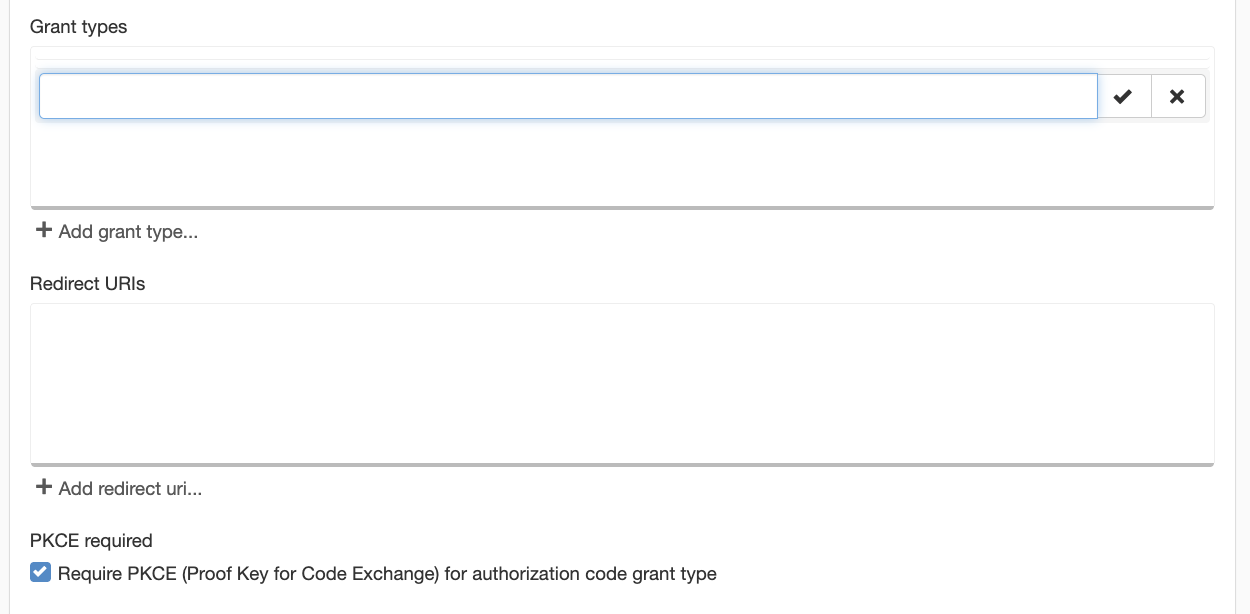
Grant types
Here you specify which grant types the client is permitted to use.
The following are commonly used:
- authorization_code – used when the user logs in and the client receives an authorisation code.
- refresh_token – used when the client later needs to retrieve a new access token without the user having to log in again.
Redirect URIs
Redirect URIs specify the addresses to which Sitevision may redirect the user after an OAuth 2.0 login.
Here, you add the redirect URIs that are allowed for the client. The redirect URI included in the login flow must match one of the URIs listed here.
Click the "Add URI" link to add a redirect URI.
PKCE required
Require PKCE (Proof Key for Code Exchange) for authorization code grant type
Check this box if you want to require PKCE. PKCE (Proof Key for Code Exchange) is an additional security measure in the authorization_code flow.
For public clients, PKCE is necessary because the client does not have a client secret.
For confidential clients, PKCE can also be used, but it is not always necessary since the client can also authenticate itself using a client secret.
Example
Public client
A public client has no client secret. Examples include a mobile app, a browser-based client, or a local tool.
For such clients, PKCE is used as protection in the sign-in flow.
Confidential client
A confidential client has a client secret. Examples include a server-based integration or a backend application.
These clients can authenticate using both a client ID and a client secret.
The page published:
 Print page
help.sitevision.se always refers to the latest version of Sitevision