

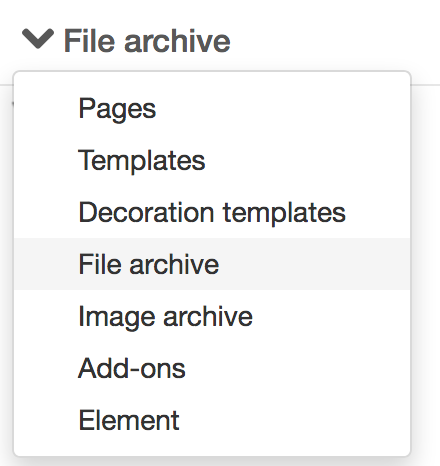
Show file archive
Here, you can access all files located in the central file archive, a common archive accessible to all users. Here you can add new files, categorise files and delete files.
You can also save files to a specific archive associated with a specific page. This archive is called Page files. These files cannot be accessed from the file archive, but must be based on the page that has files in its local archive.
You can upload all file formats to the file archive, including the image formats that can be uploaded to the image archive.
This function requires you to have "View file archive" permission.
Upload files to the file archive
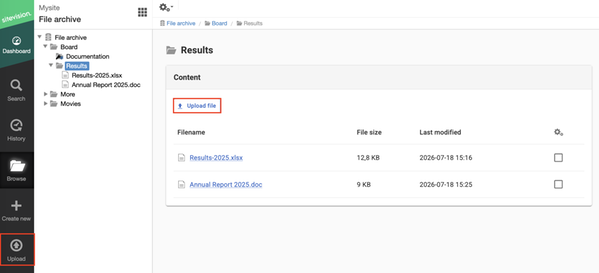
To upload files to the file archive, click the ‘Upload file’ button. To place the file in a folder, first select the folder, then click ‘Upload file’. You can also simply drag and drop the files into the folder afterwards.
Mandatory metadata for files
If you have specified that a file in the file archive should use mandatory metadata, the metadata view will appear immediately when you upload a file:
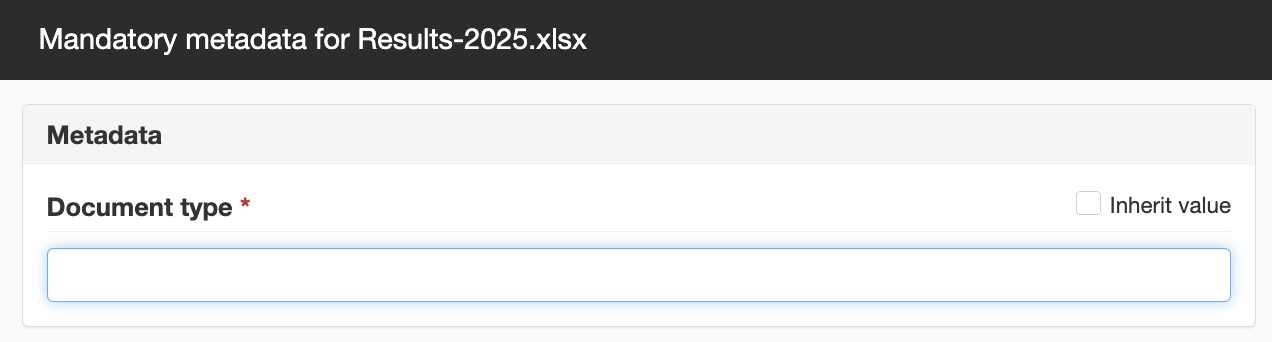
Du måste då fylla i de värden som är markerad med röd asterisk, för de är obligatoriska för filen.
Create folder in the file archive
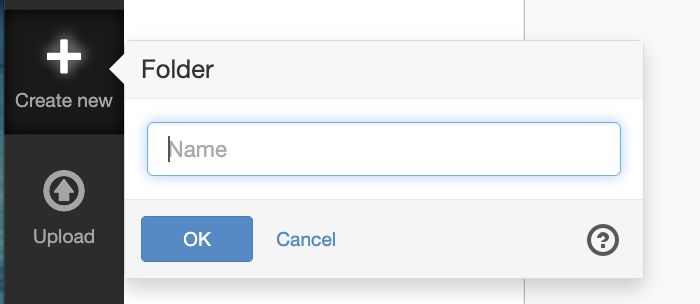
To create a folder in the file archive, click Create new. Name the folder and click OK. To place files in the folder, mark it and click Upload.
Move files
To move a file that may have ended up in the wrong folder, simply drag the file to the correct location. Drop the file straight into a folder or between two files.
Delete files
To delete a file, select the file and right-click and select "Delete".
File information and references
If you select a file in the file archive, further information about the file will be displayed. For example, who uploaded the file and when, who edited the file and when, the file size, the file’s URL and its ID.
Under ‘References’, you can see whether the file is used on the website and, if so, where.
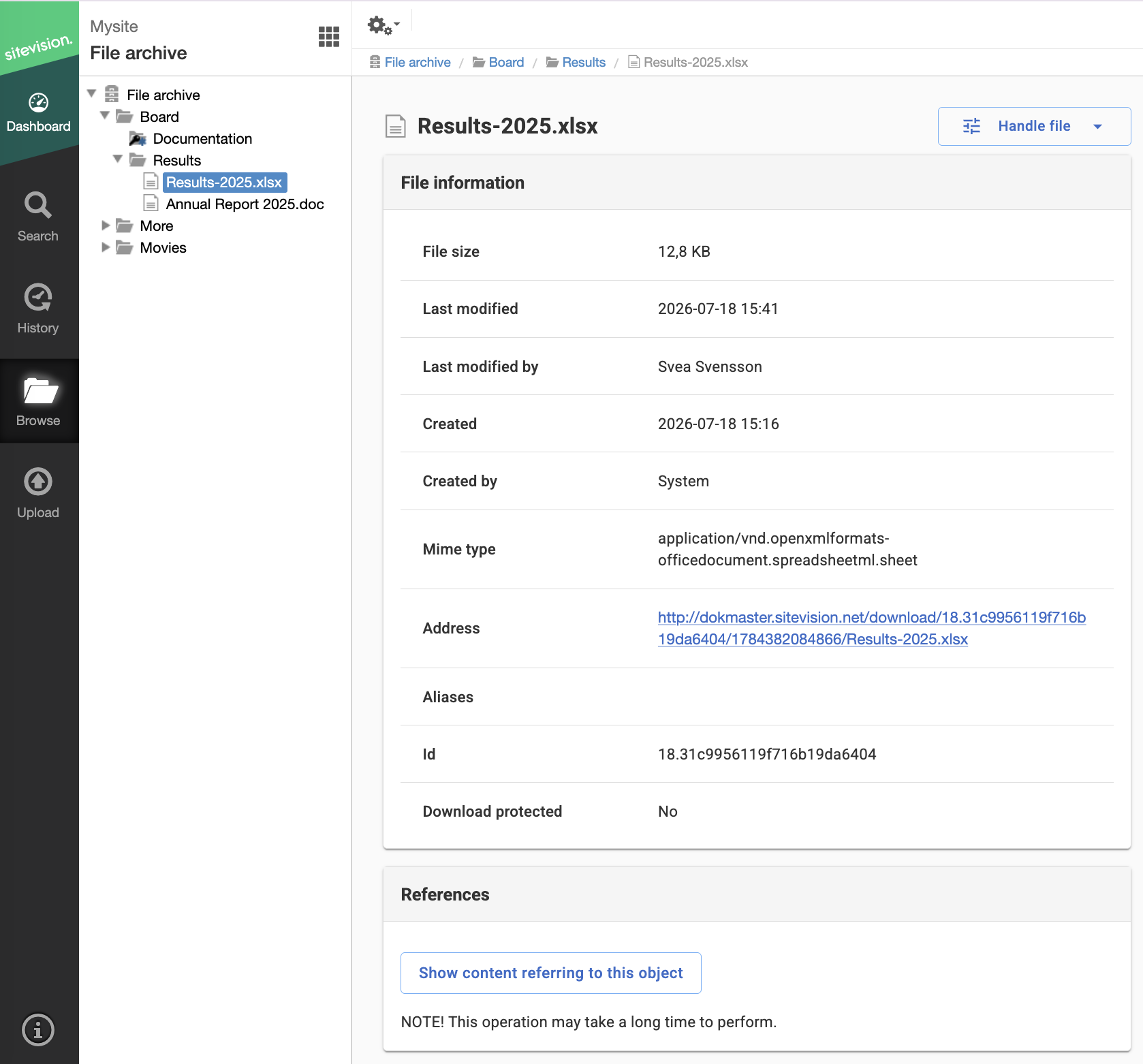
Handle file
Under the ‘Handle file’ button, you can carry out the following operations:
- Rename
- Preview
- Edit file – applies to text files
- Delete
Om du har behörigheten "Hantera funktioner för utvecklare" kan du se alternativet Redigera fil.
The page published:
 Print page
help.sitevision.se always refers to the latest version of Sitevision