

Remove module
Remove a module from the editing area
To remove a module from a web page, follow these steps:
1. In the editing area, select the module you want to remove.
2. Right-click and select Remove.
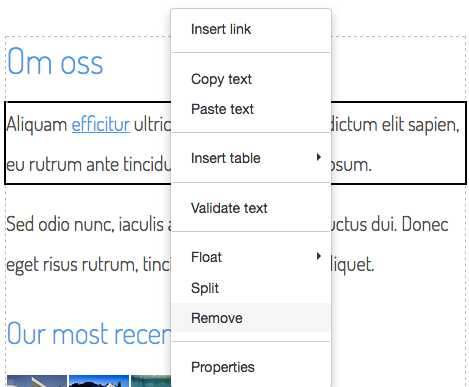
3. Save and republish for the change be displayed to the visitor.
Deleting a module under content
To delete a module from a web page, follow these steps:
1. Under Content on the left, select the module you want to delete.
2. Right-click and select Delete.
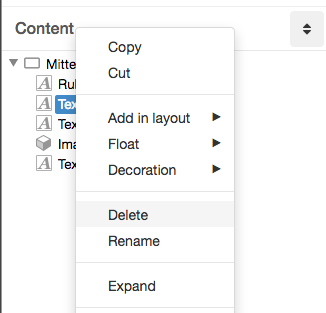
3. Save and republish for the change be displayed to the visitor.
Denne siden ble publisert:
 Skriv ut siden
Hjalp informasjonen deg?
help.sitevision.no henviser alltid til den nyeste versjonen av Sitevision