
Comment, like and share
How do I comment on a post?
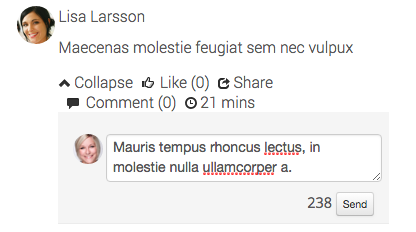
Click on the "Comment (X)" link to comment on a post. Type in the field that appears, and then exit by pressing enter.
How do I like a post?
Click the "Like" link to like a post or comment. When the cursor hovers over the link, the other users who liked the post or comment are shown.

How do I share a post?
Click on the "Share" link to share a post to other users.
The shared post appears in your personal timeline and in your composite timeline. In addition, it will appear in the composite timeline of those who added you as a contact.
Please note that the same does not apply to the contacts you have added!


NOTE! For permission reasons, it is not possible to share posts in closed groups.

These modules require the Social Collaboration license.
The page published:

help.sitevision.se always refers to the latest version of Sitevision