
How do I add rows to a table?
1. Select the row where you want to insert a row before or after, and right-click. The following options appear:
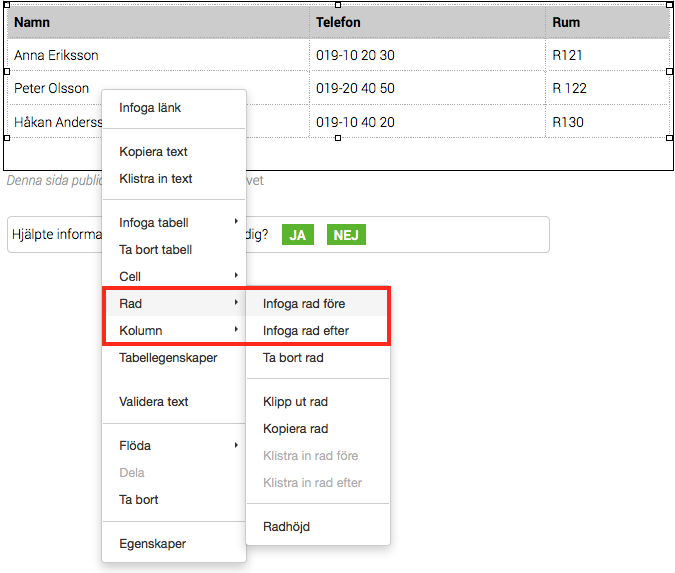
2. Select Row -> Insert row before/after.

If you want a row at the bottom of the table, simply click the TAB key when you have marked the last cell.
The page published:

Did the information help you?
help.sitevision.se always refers to the latest version of Sitevision